• Skip to main content
  • Why Plura
    • Our Team
    • Videos
    • 15th Anniv.
    • Our History
    • Case Studies
    • Distributors
  • Products
    • At a Glance
    • X Processing
    • I.M.D.P.
    • Monitors
    • Timing
    • Calibration
    • Viewfinders
  • Support +
    • Downloads
    • Virtual Mtg.
    • RMA Request
  • News & Events
    • News
    • Events
  • Contact
  • Why Plura
    • Our Team
    • Videos
    • 15th Anniv.
    • Our History
    • Case Studies
    • Distributors
  • Products
    • At a Glance
    • X Processing
    • I.M.D.P.
    • Monitors
    • Timing
    • Calibration
    • Viewfinders
  • Support +
    • Downloads
    • Virtual Mtg.
    • RMA Request
  • News & Events
    • News
    • Events
  • Contact
Signal Processing
I.M.D.P.
Monitors
Timing
Calibration
Viewfinders
Home  //  Signal Processing  //  Avenue  //  Avenue 7940 SD Aspect Ratio Converter
avenue_7940_front-1021x623avenue_7940_front-1021x623
  • Avenue 7940 SD Aspect Ratio Converter

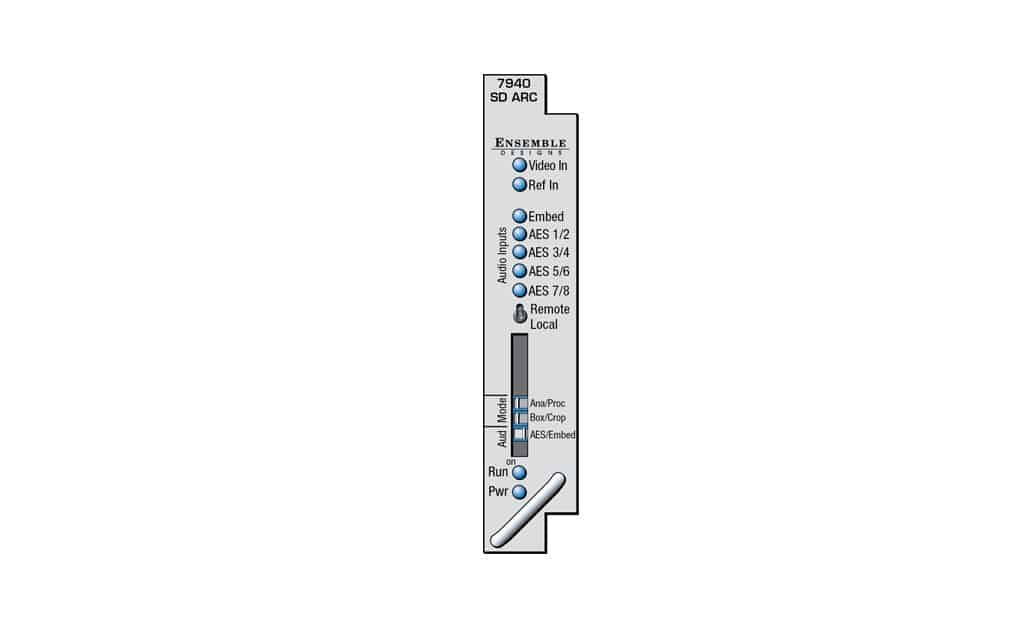
    The 7940 is an aspect ratio converter for standard definition signals. Resizing and Repositioning includes choices for: Letterbox, Anamorphic, Crop and Zoom. Proc amp controls are provided in the form of Video, Chroma and Pedestal.

    The 7940 can be configured locally or controlled and configured remotely with Avenue 5050 Touch Screen, Avenue Tabletop Control Panel, Avenue Express Panel, or Avenue PC Software. Alarm generation, configurable user levels, module lock-out, and customizable menus are just some of the tools included in the Avenue control system.

    Automatic Aspect Ratio Conversion

    The 7940 supports AFD (Active Format Description) to mark or identify the aspect ratio of the video content. These flags are generated at the output of the module, and they are read at the input. This allows the up and downconversion process to adapt automatically to material that is already in letterbox or pillarbox form in order to produce the most appropriate conversion.

    Audio Options

    When an audio sub module is installed, audio is automatically delayed as needed to compensate for the video processing in the 7940. For complete audio processing, choose from three different audio sub modules. Sub modules plug onto the 7940 board and do not take up a slot in the frame.

    The 8415 is an eight-channel audio sub module with AES I/O that provides management of embedded audio in the processing path, or supports audio embedding/disembedding alongside the video processing elements. Embedded audio is safely bypassed around the video frame store with the lip sync preserved. Level adjustments and channel shuffling are accessed through the built-in audio mixer. The 9670 Automatic Gain Control option can be added to the 8415. All audio processing is performed at full 24 bit resolution.

    The 7610 provides carriage of up to eight channels of embedded audio through the format conversion process. Embedded audio in the input signal is delayed to match the video delay and preserve lip sync. The delayed content is reinserted in the video output. No level adjustment or channel swapping is provided.

    Product Documents

    Datasheet

    • 7940 Data Sheet

    Manual

    • 7940 Module Manual

    Firmware

    • 7940 v2.4.1
    Contact Sales
    • Highlights
    • Specifications
    • Product Downloads

    Description

    • SD Aspect Ratio Converter
    • 16 bit processing
    • Accepts asynchronous signals
    • Reference input – output is timeable
    • Auto-detects input standard and frame rate
    • Passes closed captioning
    • Proc Amp
    • Built-in test pattern and tone
    • Audio Mux/Demux optional
    • Audio Automatic Gain Control optional
    • Add audio sub module for delay and processing
    • Occupies one slot in frame, even with audio option
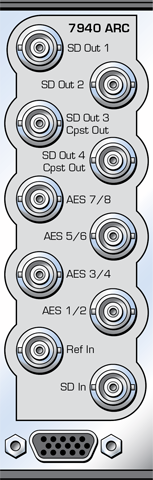
    Additional information

    Control

    Ethernet, RS232, GPIO, SNMP, AveNet

    Video Input

    SD SDI

    Video Output

    SD SDI

    Video Processing

    Aspect Ratio Conversion, Reference In/Timeable Output, TBC/Frame Sync

    Product Documents

    Datasheet

    • 7940 Data Sheet

    Manual

    • 7940 Module Manual

    Firmware

    • 7940 v2.4.1

    Related products you might be interested in

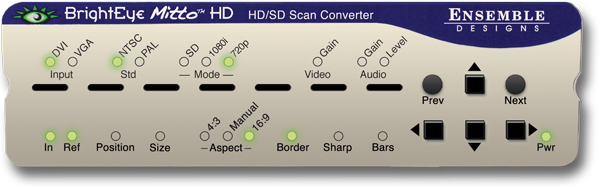
    BEM-2-H, BrightEye Mitto HD, HD/SD Scan Converter w/ HDCP SupportUse BrightEye Mitto™ HD BEM-2-H to deliver DVI, HDMI, and VGA sources to HD and SD SDI destinations. Ensemble Designs’ proprietary scaling and filtering technology ensures that Mitto always produces a pristine, detailed video output. Even the most demanding CGI material is faithfully rendered to television. YouTube, Zoom, Tik-Tok, and Everything Else Made Easy Take just about any source to HD or SD SDI video. Computer video can now be used for the most demanding applications including broadcast, high-end military, medical, classroom, church and corporate. Just a small part of the screen, such as a Tik-Tok video, can be selected with a mouse and converted to full screen HD. Mitto delivers the best looking video – compare Mitto to any other scan converter and see the difference! Choose the Functionality You Need Choose the best combination of features and price for your application. Eight different Mitto units offer varying types of outputs and capabilities. All Mitto units accept VGA, DVI and HDMI input signals from PC and Mac computers. HDCP is not a Problem; Many systems now require HDCP for video playback, regardless of content licensing. BEM-2-H can handle HDCP encrypted content with the added BEM-HDCP option. Muting Disable available with the purchase of option BEM-HDCP license and signed waiver. BrightEye Control Software Using BrightEye control software, you can easily time BrightEye Mitto into a video production switcher or router. From your desktop, you have complete and intuitive control of video format, video levels, output timing, mixing audio channels, and audio delay. Pristine, Detailed Video Output A superior quality scan converter, BrightEye Mitto has the advantage of proprietary scaling technology and exclusive multi-tap filtering. Even a small part of the computer screen, such as a YouTube video, will be upconverted to full screen HD. The region selected for output determines if Mitto acts as an up converter or downconverter. The output looks as good, or better, than the original and passes the most stringent testing. Easy To Use Use the Selection Tool in BrightEye Control to select what portion of the screen you want to output. The Selection Tool floats over the content on your display, showing the portion of the video that will be output from BrightEye Mitto. Use Your Mouse To Select What is Output to Video Use your mouse to click and drag over the specific portion of computer video that you want to output. The perspective of seeing the whole screen relative to your selection gives you the ability to choose exactly which portion of the video you want to scan convert for output. Resize the selection window by clicking and dragging with your mouse. Mitto’s video output automatically goes to pillarbox or letterbox as needed. Mitto automatically maintains perfect aspect ratio. Digital and Analog Video and Audio The intuitive front panel interface makes it easy to choose the desired video output format. The genlock reference input allows the video outputs to be timed to house. Audio can be input through the DVI (or HDMI with adapter) input, or the 3.5mm audio input. The audio input accepts analog audio or AES digital audio. Audio is embedded into the SDI outputs – which is required for many high end applications. Audio delay controls let you adjust the audio timing with respect to video for perfect lip sync, which is crucial when using Zoom, Google Meet, or Microsoft Teams video in a production environment.
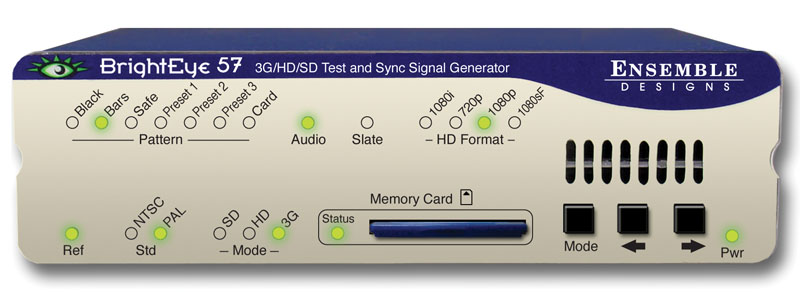
    BrightEye 57 3G/HD/SD/Analog Test Signal and Sync Pulse GeneratorBrightEye 57 is a genlockable sync generator and test signal generator that can be used as either a slave or master reference generator. It can lock to house reference or it can lock to its own internal precision standard. BrightEye 57 is well suited for remote trucks, post, helicopters and fly packs. 1.5 Gb/s HD, 3 Gb/s HD or SD SDI test signals or black with embedder is output on the SDI BNCs. Composite, Tri-Level Sync and AES digital audio outputs are also provided. There are three user Programmable Outputs that are selectable between AES, LTC, Word clock or 6 Hz Pulse. Analog audio and AES outputs provide tone or silence. Color Black, Bars, Crosshatch, Multi-burst, and SDI Checkfield (Pathogenic) are just some of the signals simultaneously available on the SDI and analog composite outputs. The Cyclops feature adds a motion element to the selected video test signal. An ID slate with user programmable text can overlay the test pattern. The internal Time Code Generator feeds DVITC on the SDI outputs and VITC on the composite outputs, Time Code can also be selected in LTC form on the programmable Aux outputs. In addition to the standard suite of test patterns, users can create custom test patterns on a computer. Using BrightEye Pattern Generator software, simply transfer test patterns to the included Secure Digital flash memory card and then insert the memory card into the front of the BrightEye 57. Test patterns can include motion. File formats supported: .tga, .wav, .mp3, .wma. Many controls can be adjusted through the intuitive front panel. The BrightEye Control app provides a complete user interface for all adjustments and controls. For facilities and manufacturers using 3 Gb/s video, BrightEye units can be combined to form a complete 3G signal chain. The BrightEye 57 test signal generator’s 3G output can be distributed through the BrightEye 43 3G distribution amplifier or the BrightEye 46 and BrightEye 48 E/O 3G fiber optical transmitter/receiver set.
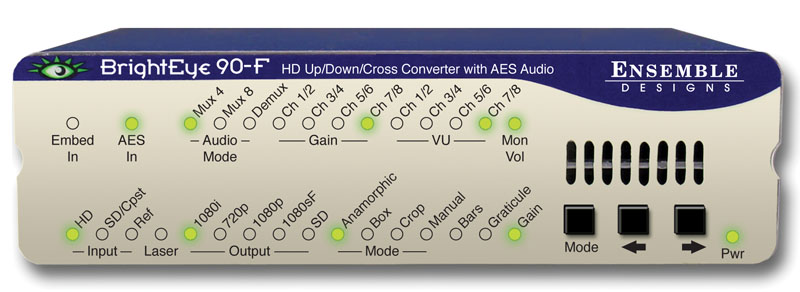
    BrightEye 90-F HD Up/Down Cross Converter and ARC with AES Audio and Optical OutputBrightEye 90-F is a versatile up/down/cross converter or aspect ratio converter for use with analog and digital video signals with the addition of an optical output. Optical connectivity allows for long cable runs between buildings or in mobile applications. Simply set the BrightEye 90-F to output your facility’s preferred HD or SD standard. The BrightEye 90-F will accommodate whatever input you connect analog composite, SD SDI or HD SDI. After setting the output standard, BrightEye 90-F automatically converts the selected input to the correct standard for your facility. BrightEye 90-F will upconvert, downconvert, cross convert, or act as an ARC, as needed. The built-in Frame Synchronizer allows you to feed asynchronous signals to the BrightEye 90-F. An external reference input allows genlock to a house reference. All vertical interval data and closed captioning is faithfully passed. Upconverting to High Definition Feed the analog composite or SD SDI output of a camera to a BrightEye 90-Fand upconvert to HD. You can take the HD signal from the BrightEye 90-F into a switcher or projection system. Upconverting existing SD equipment lets you leverage the equipment you already have and operate in the HD domain. While some cameras may have firewire out, using the video output and upconverting before distribution is preferable since longer cable runs can be achieved and quality is superior. Additionally, the BrightEye 90-F’s reference input allows you to time the upconverted video output for use with a production switcher. Downconverting to Standard Definition BrightEye 90-F will downconvert any type of HD signal and provides both an SD SDI and an analog composite output suitable for broadcast or monitoring. Cross Conversion It’s easy to convert between various HD standards, whether 720p or 1080i. Simply select the output standard you need and connect the input, that’s all there is to it. Aspect Ratio Conversion For converting between SD 4:3 and HD 16:9, BrightEye 90-F has you covered. Just select the output standard you need and connect the input. Audio Processing Made Simple BrightEye 90-F handles both embedded audio and discreet AES digital audio streams. Sixteen channels of embedded audio are supported in BrightEye 90-F. If the incoming video has embedded audio, the audio will be safely bypassed around the video processing and lipsync will be preserved. Audio mixing is available for two of the four embedded groups of audio. The AES I/O ports can be configured for eight channels of incoming audio or for eight channels of audio output. The audio mixer can be used for AES channels as well. Mixer controls are accessed through BrightEye Control Software. Monitoring for Video and Audio Audio monitoring is easy with BrightEye 90-F’s convenient 3.5mm mini jack. Select the audio channels you want to monitor from the front panel and plug in a headset. The HDMI connector on the rear of the unit provides a future proof monitoring interface. Plug it into most LCD monitors for confidence monitoring of your feed. Front Panel and Software Control Input selection, gain control, and test pattern controls are provided through the front panel interface. Audio presence LEDs indicate which channels are detected. Crop, letterbox and pillarbox can all be adjusted from the front panel. For more control, BrightEye Control Software provides controls for proc, audio mixing, and other advanced controls.
    BrightEye 70 HD/SD AES Embedder/DisembedderThe BrightEye 70 is a dual rate eight channel audio embedder or disembedder for 1.5Gb/s high definition video signals or for 270Mb/s standard definition signals. Four AES ports automatically configure as inputs or outputs depending if the module is configured as mux or demux. When configured as a multiplexer, the BrightEye 70 has one serial digital video input and four AES audio inputs. These four AES streams are embedded into the video stream. AES inputs are sample rate converted, allowing the use of asynchronous audio. The output of the module is a digital stream that contains the original video signal and four AES pairs. When configured as a demultiplexer, audio signals present in the incoming video signal are extracted and delivered as standard AES digital audio streams. The BrightEye 70 includes an eight channel audio mixer with channel swap and shuffle capability that allows you to completely rearrange and remix audio channels. It provides precise control over audio level, with up to 12 dB of gain to compensate for low level sources. All audio processing is performed at full 24 bit resolution by a digital signal processor (DSP). Delay is adjustable up to one second. The Data mode operation allows embedding or disembedding of Dolby E or AC3 signals.

    Looking for something else?

    Signal Processing
    I.M.D.P.
    Monitors
    Timing
    Calibration
    Viewfinders

    Contact Sales

    International

    • Plura Europe GmbH Germany
    • Plura MEA Dubai – UAE
    • Plura ASIA Seoul – S. Korea

    The Americas

    • Arizona Plura Broadcast, Inc. HQ

    Stay in touch for news on the latest in product development

    Copyright © 2026 Plura Inc. All Rights Reserved.