• Skip to main content
  • Why Plura
    • Our Team
    • Videos
    • 15th Anniv.
    • Our History
    • Case Studies
    • Distributors
  • Products
    • At a Glance
    • X Processing
    • I.M.D.P.
    • Monitors
    • Timing
    • Calibration
    • Viewfinders
  • Support +
    • Downloads
    • Virtual Mtg.
    • RMA Request
  • News & Events
    • News
    • Events
  • Contact
  • Why Plura
    • Our Team
    • Videos
    • 15th Anniv.
    • Our History
    • Case Studies
    • Distributors
  • Products
    • At a Glance
    • X Processing
    • I.M.D.P.
    • Monitors
    • Timing
    • Calibration
    • Viewfinders
  • Support +
    • Downloads
    • Virtual Mtg.
    • RMA Request
  • News & Events
    • News
    • Events
  • Contact
Signal Processing
I.M.D.P.
Monitors
Timing
Calibration
Viewfinders
Home  //  Signal Processing  //  Avenue  //  Avenue 9425 Layering Engine
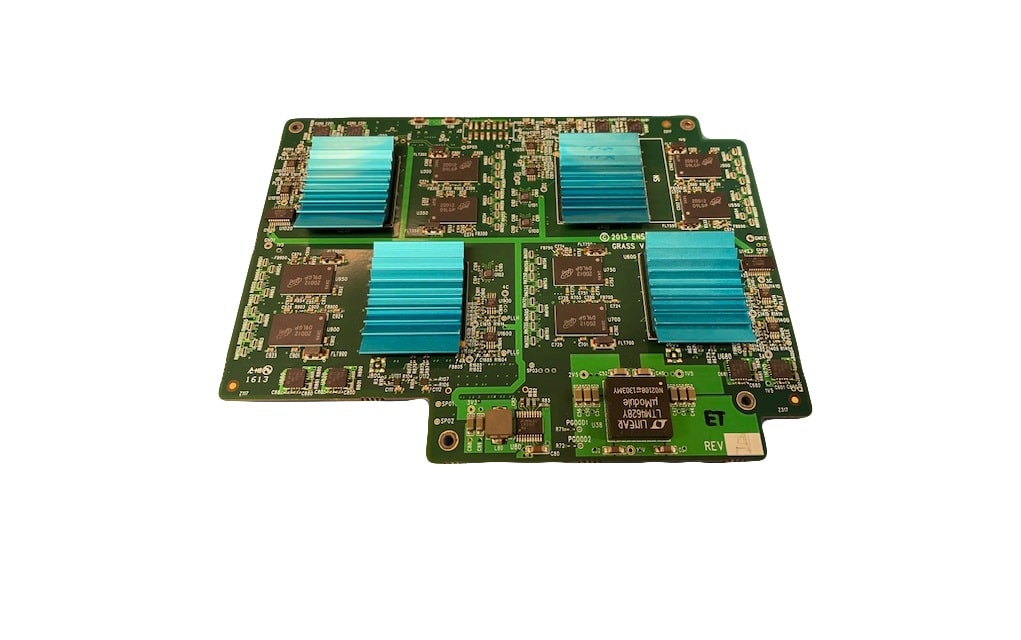
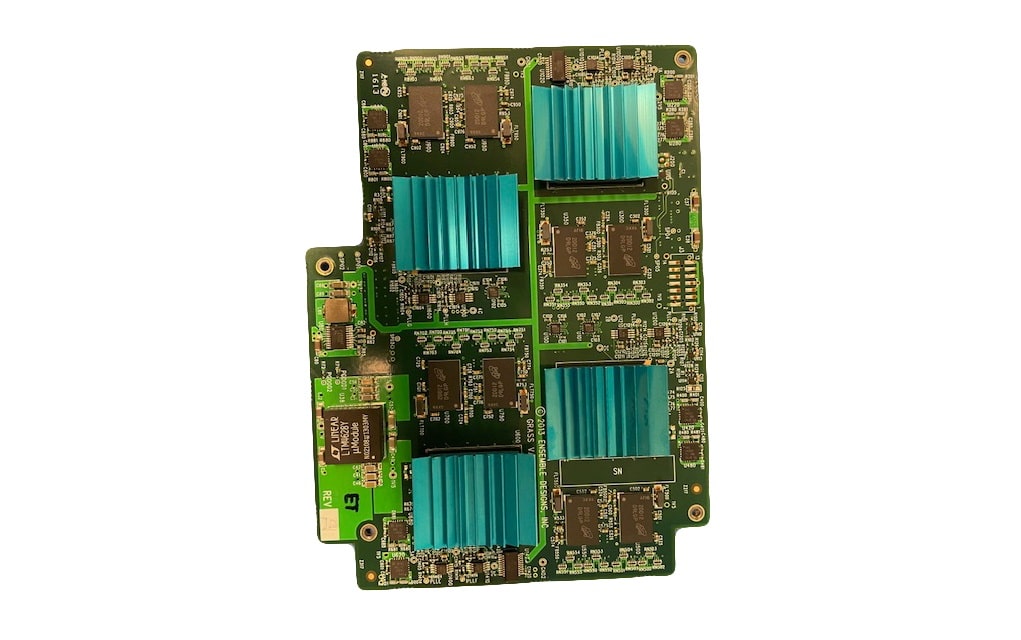
avenue_9425_pcb-1-1021x623avenue_9425_pcb-1-1021x623
  • Avenue 9425 Layering Engine

    Use Ensemble’s Avenue Layering Engine for broadcast, live venues and presentation. With two, independent linear keyers, program/preset background transitions, and audio mixing and breakaway, it’s an agile and flexible solution to combining audio and video content. Inputs can be driven by SDI signals from cameras, remote feeds, character generators, graphic and stillstore systems and video servers. The full range of SDI signals from SD to HD and 3G formats are supported. Realtime processing and low latency make it easy to integrate – even in complex signal chains.

    Powerful, Flexible Keying and Layering

    The Avenue Layering Engine has two independent overlay keyers. The keyers support linear, luminance and additive keying from a variety of video sources. In linear and additive modes, external key signals are faithfully passed to the overlay combiners with the option of user adjustments to fine-tune the effect with hi/lo clip. When operating as a luminance keyer, the key signal processor provides precise control over the clip and gain functions used to extract a self-key from the fill video.

    Overlay content from both live and still sources can be re-positioned and masked. A drop shadow effect, with variable position and density, can be added to any type of overlay – either from live video or the LogoStore. Each keyer has a color matte generator which can provide the fill video.

    The extensive features of the Avenue Layering Engine span a wide range of applications. This broad repertoire is matched by an intuitive interface that puts comprehensive control of every element at your fingertips. Keyer presets will recall the entire configuration of a layer with a single touch or keystroke.

    The visual interface displays thumbnail views of connected sources and the content stored in the LogoStore. Input signals and control parameters are clearly presented and easily adjusted.

    Hard Surface Operator Control Panel

    The Avenue 5825 Layering Engine Control Panel is a real panel with real buttons to control keying and vision mixing functions positively and instantly.

    The panel features a front panel LCD display that shows thumbnails of sources allowing instant verification of switching selections. When used alongside the award winning web browser interface that can be accessed with any web browser enabled device such as an iPad or laptop computer, all of the functionality of the powerful switching and keying system can be harnessed in a compact, easy-to-use control position. The control panel is connected via IP allowing access from anywhere on the network, and can be powered via POE for easy, single wire hook up. Source selection, cuts, dissolves, and three levels of keying can be independently controlled via the panel.

    The Avenue 5825 panel works with other interfaces making it the perfect solution for use with automation. The operator can quickly and positively override automation functions in the event of a service disruption or equipment failure.

    EAS and Downstream Keyer Option

    Add the 9425-XK option for additional keying capability. The downstream keyer provides a third layer of keying, drawing from stills and animations in the Layering Engine’s LogoStore. A basic character generator is included for producing a lower-third crawl.

    The 9425-XK also provides CAP compliant EAS insertion. Three signals are from the external EAS receiver: a GPI command to put the announcement on air is fed from a 3rd party device, an RS-232 ASCII data that feeds the character generator is also fed from the 3rd party device, and a live audio signal that is to be played out with the scrolling CGEN. This signal is brought in through an input on the Layering Engine and it can be either embedded on an SDI signal or delivered as an AES stream.

    LogoStore

    Logos and Graphics created with paint and animation applications can be loaded into the Avenue Layering Engine’s LogoStore through a web interface. These elements can then be keyed and combined with live video inputs. The user interface makes it easy to choose from multiple graphics in each keyer, even in a live environment.
    The Positioning and Masking features can be applied to LogoStore content.

    Combined with Keyer Presets, these features allow a single logo to be used in a variety of ways. The LogoStore’s non-volatile memory is a great solution to sourcing lower third supers, branding logos, watermarks, and even full screen titles.

    Basic Configuration

    The base hardware configuration has 8 inputs and 2 outputs. Any of the inputs can be used as background video, key fill or source, or audio breakaway and voiceover. The two outputs can be assigned as program and look-ahead preview for live switching applications.

    Flexible Configuration

    Alternate configurations are available for every application, from remote trucks to news bureaus to presentation. The Layering Engine can be expanded to 30 configurable I/O ports where any port can be used as an input or an output. This additional flexibility allows you to have video effects, audio mixing and routing functionality in one convenient package. Here’s a cost effective way to have keying and routing all in one, integrated system.

    Timing and Synchronization

    The Avenue Layering Engine genlocks to a house reference signal, allowing you to time the effects output to match system requirements in your facility. Even asynchronous (wild) sources can be used as inputs to the layering engine. Each input incorporates a frame synchronizer, automatically correcting each source to match system timing. When no external reference is available, as in a flypack system, a stable internal reference signal is used.

    Complete Audio

    Comprehensive audio support is built-in to the Avenue Layering Engine. The primary audio output can be taken automatically from the embedded content in the currently selected background video source. This AFV (Audio Follow Video) mode will produce smooth, pop-free audio transitions that duplicate the background video – whether cutting or mixing. Alternately, the audio can be selected independently (Audio Breakaway) of the background video so that it comes from the embedded content of any connected source.

    16 channels of embedded audio are supported throughout the entire processing chain. The channel swapping feature of the SDI port configuration tool allows full customization on an input by input basis.

    You’re In Control

    Through a web interface you have complete control over the configuration and operation of this powerful layering engine. The intuitive iPad control interface gives you full control over the mix/effect with program and preview thumbnails and comprehensive view of all graphic layers. Use an iPad or web browser to quickly and easily create keyed presets that can be recalled on-air by automation systems. Automation commands can be overridden and live switching can take place using the operation control panel.

    Plus, there’s an equally complete automation protocol, via TCP/IP or RS-232 interfaces, allowing integration into every type of application, including channel branding, master control, fly-pack, DSK and centralcasting.

    Product Documents

    Datasheet

    • Routing, Keying and Multiviewer Solutions

    Manuals

    • P9425 Avenue Layering Engine Manual
    • P9425 Avenue Layering Engine Quick Start Guide
    • High Power Module Watt Budgeting Guide for Avenue 3RU Frames

    Software

    • Logo Converter for macOS 2.0.1
    • Logo Converter for Windows 2.0.1

    Firmware

    • 5825 Layering Engine Control Panel Firmware v1.1.0
    Contact Sales
    • Highlights
    • Specifications
    • Product Downloads

    Description

    • Multi layer keying and background transitions
    • Linear, Luminance, and Additive Modes
    • Internal LogoStore
    • Built-in frame sync on every input
    • Audio breakaway, Voice over and AFV
    • Supports 16 channels of embedded audio
    • Channel branding, small master control, centralcasting, fly-pack, remote truck
    • EAS and downstream keyer option
    • Hard surface operator control panel
    • Packages available for ease of ordering
    Additional information

    Audio Features

    AES

    Control

    Ethernet, RS232, GPIO, SNMP, AveNet

    Video Input

    3G HD SDI, HD SDI, SD SDI

    Video Output

    3G HD SDI, HD SDI, SD SDI

    Video Processing

    Logo Inserter, Reference In/Timeable Output, TBC/Frame Sync

    Product Documents

    Datasheet

    • Routing, Keying and Multiviewer Solutions

    Manuals

    • P9425 Avenue Layering Engine Manual
    • P9425 Avenue Layering Engine Quick Start Guide
    • High Power Module Watt Budgeting Guide for Avenue 3RU Frames

    Software

    • Logo Converter for macOS 2.0.1
    • Logo Converter for Windows 2.0.1

    Firmware

    • 5825 Layering Engine Control Panel Firmware v1.1.0

    Related products you might be interested in

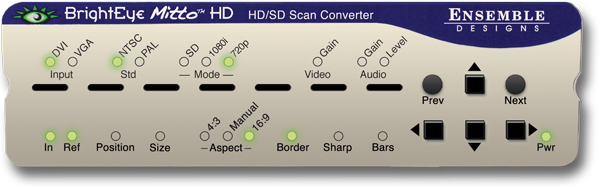
    BEM-2-H, BrightEye Mitto HD, HD/SD Scan Converter w/ HDCP SupportUse BrightEye Mitto™ HD BEM-2-H to deliver DVI, HDMI, and VGA sources to HD and SD SDI destinations. Ensemble Designs’ proprietary scaling and filtering technology ensures that Mitto always produces a pristine, detailed video output. Even the most demanding CGI material is faithfully rendered to television. YouTube, Zoom, Tik-Tok, and Everything Else Made Easy Take just about any source to HD or SD SDI video. Computer video can now be used for the most demanding applications including broadcast, high-end military, medical, classroom, church and corporate. Just a small part of the screen, such as a Tik-Tok video, can be selected with a mouse and converted to full screen HD. Mitto delivers the best looking video – compare Mitto to any other scan converter and see the difference! Choose the Functionality You Need Choose the best combination of features and price for your application. Eight different Mitto units offer varying types of outputs and capabilities. All Mitto units accept VGA, DVI and HDMI input signals from PC and Mac computers. HDCP is not a Problem; Many systems now require HDCP for video playback, regardless of content licensing. BEM-2-H can handle HDCP encrypted content with the added BEM-HDCP option. Muting Disable available with the purchase of option BEM-HDCP license and signed waiver. BrightEye Control Software Using BrightEye control software, you can easily time BrightEye Mitto into a video production switcher or router. From your desktop, you have complete and intuitive control of video format, video levels, output timing, mixing audio channels, and audio delay. Pristine, Detailed Video Output A superior quality scan converter, BrightEye Mitto has the advantage of proprietary scaling technology and exclusive multi-tap filtering. Even a small part of the computer screen, such as a YouTube video, will be upconverted to full screen HD. The region selected for output determines if Mitto acts as an up converter or downconverter. The output looks as good, or better, than the original and passes the most stringent testing. Easy To Use Use the Selection Tool in BrightEye Control to select what portion of the screen you want to output. The Selection Tool floats over the content on your display, showing the portion of the video that will be output from BrightEye Mitto. Use Your Mouse To Select What is Output to Video Use your mouse to click and drag over the specific portion of computer video that you want to output. The perspective of seeing the whole screen relative to your selection gives you the ability to choose exactly which portion of the video you want to scan convert for output. Resize the selection window by clicking and dragging with your mouse. Mitto’s video output automatically goes to pillarbox or letterbox as needed. Mitto automatically maintains perfect aspect ratio. Digital and Analog Video and Audio The intuitive front panel interface makes it easy to choose the desired video output format. The genlock reference input allows the video outputs to be timed to house. Audio can be input through the DVI (or HDMI with adapter) input, or the 3.5mm audio input. The audio input accepts analog audio or AES digital audio. Audio is embedded into the SDI outputs – which is required for many high end applications. Audio delay controls let you adjust the audio timing with respect to video for perfect lip sync, which is crucial when using Zoom, Google Meet, or Microsoft Teams video in a production environment.
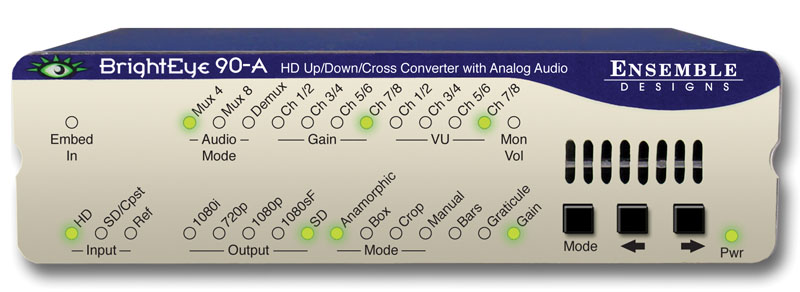
    BrightEye 90-A HD Up/Down Cross Converter and ARC with Analog AudioBrightEye 90-A is a versatile up/down/cross converter or aspect ratio converter for use with analog and digital video signals. Simply set the BrightEye 90-A to output your facility’s preferred HD or SD standard. The BrightEye 90-A will accommodate whatever input you connect – analog composite, SD SDI or HD SDI. After setting the output standard, BrightEye 90-A automatically converts the selected input to the correct standard for your facility. BrightEye 90-A will upconvert, downconvert, cross convert, or act as an ARC, as needed. The built-in Frame Synchronizer allows you to feed asynchronous signals to the BrightEye 90-A. An external reference input allows genlock to a house reference. All vertical interval data and closed captioning is faithfully passed. Upconverting to High Definition Feed the analog composite or SD SDI output of a camera to a BrightEye 90-A and upconvert to HD. You can take the HD signal from the BrightEye 90-A into a switcher or projection system. Upconverting existing SD equipment lets you leverage the equipment you already have and operate in the HD domain. While some cameras may have firewire out, using the video output and upconverting before distribution is preferable since longer cable runs can be achieved and quality is superior. Additionally, the BrightEye 90-A’s reference input allows you to time the upconverted video output for use with a production switcher. Downconverting to Standard Definition BrightEye 90-A will downconvert any type of HD signal and provides both an SD SDI and an analog composite output suitable for broadcast or monitoring. Cross Conversion It’s easy to convert between various HD standards, whether 720p or 1080i. Simply select the output standard you need and connect the input, that’s all there is to it. Aspect Ratio Conversion For converting between SD 4:3 and HD 16:9, BrightEye 90-A has you covered. Just select the output standard you need and connect the input. Audio Processing Made Simple BrightEye 90-A handles both embedded audio and eight channels of analog audio. Sixteen channels of embedded audio are supported in BrightEye 90-A. If the incoming video has embedded audio, the audio will be safely bypassed around the video processing and lipsync will be preserved. Audio mixing is available for two of the four embedded groups of audio. The analog audio I/O ports can be configured for eight channels of incoming audio or for eight channels of audio output. The audio mixer can be used for analog audio as well. Mixer controls are accessed through the BrightEye Control Software. Monitoring for Video and Audio Audio monitoring is easy with BrightEye 90-A’s convenient 3.5mm mini jack. Select the audio channels you want to monitor from the front panel and plug in a headset. The HDMI connector on the rear of the unit provides a future proof monitoring interface. Plug it into most LCD monitors for confidence monitoring of your feed. Front Panel and Software Control Input selection, gain control, and test pattern controls are provided through the front panel interface. Audio presence LEDs indicate which channels are detected. Controls for crop, letterbox and pillarbox are accessed from the front panel or BrightEye Mac or PC software. Video and audio levels and the audio mixer can be adjusted through BrightEye Mac or PC software.
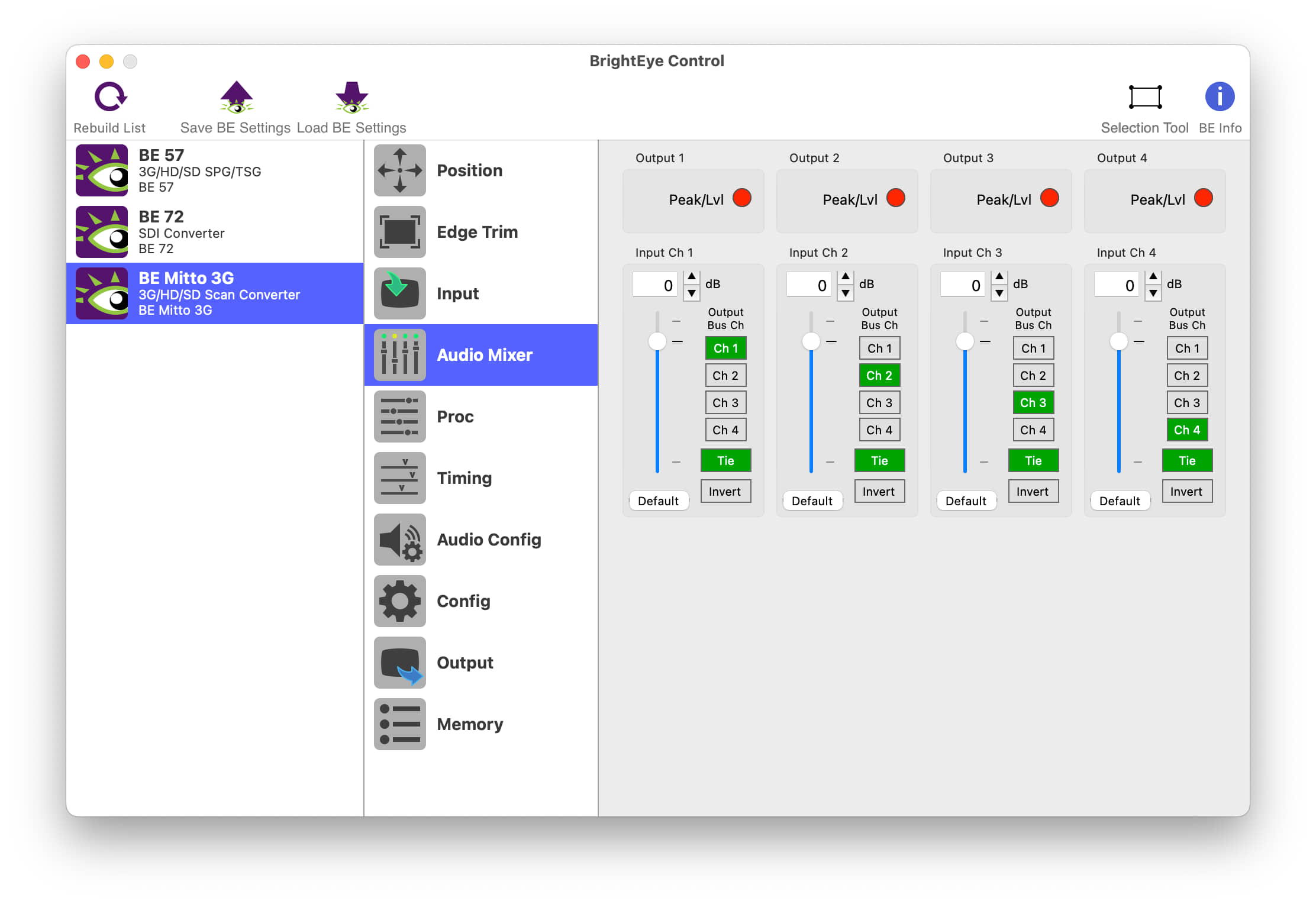
    BrightEye Control SoftwareBrightEye Control allows you to access all of the controls in your BrightEye devices. Adjust video levels, output timing and audio mixing and more. No DIP switches or button hold-downs are needed. Firmware updates, with feature enhancements and bug fixes, are provided for the lifetime of your BrightEye device. Install them with ease from your Mac or PC using BrightEye Control. The BrightEye Control software is included with each BrightEye at no charge. Version History 3.2.2 Fixes window resizing issue on Windows when using Hi-DPI displays. Only released for Windows (32-bit and 64-bit). 3.2.1 Hi-DPI Support on Windows. Control fixes and performance improvements. First Windows 64-bit build. Compatible with Windows 7, 8, 10, and 11 First Apple Silicon native release. Compatible with macOS 10.15+ 3.1.0 Built for Intel x86 64-bit. Compatible with Apple Silicon Macs via emulation. Compatible with macOS 10.15+ Only released for macOS. 3.0.2 Further improvements to connection reliability, especially with older BrightEye devices. Fixes issue with recalling saved settings on units with memory registers. Previously, recalling the saved settings could trigger memory register recalls. You can now set string controls to “”, which allows you to properly remove a feature license. Fixes several crashes related to connecting and disconnecting BrightEye devices. Other small fixes and enhancements. 3.0.1 Improved Connection Reliability Fixed problem where updating BrightEye firmware was sometimes slow. 3.0.0 Replaces BrightEye Mac and BrightEye PC. Improved user interface to make controlling BrightEye devices easier than ever. BrightEye devices now show up in the interface automatically, no need to manually refresh. Improved performance when controlling many BrightEye devices. Support for HiDPI and “Retina” displays. Fixed issues with firmware updates on newer Windows PC’s. Many other bug fixes and enhancements.
    BrightEye 24 SDI to Analog Converter and DisembedderBrightEye 24 is both a disembedder (demultiplexer) and a digital to analog video converter. The incoming serial digital video signal is converted to an analog composite output. Audio signals present in the incoming digital video signal are extracted and delivered as four channels of analog audio. Audio mixing, level adjustments, and channel shuffling are accessed through the BrightEye Control app. Audio group selection is also made through BrightEye Control. A variety of audio connectors and adapters are available for integrating BrightEye 24 to any type of system. Use BrightEye 24 in desktop and broadcast applications.

    Looking for something else?

    Signal Processing
    I.M.D.P.
    Monitors
    Timing
    Calibration
    Viewfinders

    Contact Sales

    International

    • Plura Europe GmbH Germany
    • Plura MEA Dubai – UAE
    • Plura ASIA Seoul – S. Korea

    The Americas

    • Arizona Plura Broadcast, Inc. HQ

    Stay in touch for news on the latest in product development

    Copyright © 2026 Plura Inc. All Rights Reserved.