• Skip to main content
  • Why Plura
    • Our Team
    • Videos
    • 15th Anniv.
    • Our History
    • Case Studies
    • Distributors
  • Products
    • At a Glance
    • X Processing
    • I.M.D.P.
    • Monitors
    • Timing
    • Calibration
    • Viewfinders
  • Support +
    • Downloads
    • Virtual Mtg.
    • RMA Request
  • News & Events
    • News
    • Events
  • Contact
  • Why Plura
    • Our Team
    • Videos
    • 15th Anniv.
    • Our History
    • Case Studies
    • Distributors
  • Products
    • At a Glance
    • X Processing
    • I.M.D.P.
    • Monitors
    • Timing
    • Calibration
    • Viewfinders
  • Support +
    • Downloads
    • Virtual Mtg.
    • RMA Request
  • News & Events
    • News
    • Events
  • Contact
Signal Processing
I.M.D.P.
Monitors
Timing
Calibration
Viewfinders
Home  //  Signal Processing  //  BrightEye  //  BrightEye 3 Analog to SDI Converter with TBC and Frame Sync
be03_rear-800x157be03_rear-800x157
  • BrightEye 3 Analog to SDI Converter with TBC and Frame Sync

    BrightEye 3 is an agile Time Base Corrector / Frame Synchronizer with composite, component and Y/C inputs and SD SDI video out. Input signals are digitized to 12 bits of resolution and time base corrected by a noise tolerant tracking circuit. An external reference input allows genlock to a timing reference such as color black.

    Input selection, gain control, and TBC enable is provided through the front panel interface. Video levels can be adjusted through the BrightEye Control app.

    Input and Reference presence are indicated through front panel LEDs. BrightEye 3 is great for capturing consumer VCRs into non-linear editing systems.

    Product Documents

    Datasheet

    • BE3 Data Sheet

    Manual

    • BrightEye 3 Manual
    Contact Sales
    • Highlights
    • Specifications
    • Product Downloads

    Description

    • Use with Cameras, Satellite Receivers and VHS Decks
    • Analog Input
    • SD SDI Output
    • TBC and Frame Sync
    • 12 Bit

    Additional information

    Control

    USB

    Video Input

    Analog Component, Analog Composite

    Video Output

    SD SDI

    Video Processing

    Reference In/Timeable Output, TBC/Frame Sync

    Product Documents

    Datasheet

    • BE3 Data Sheet

    Manual

    • BrightEye 3 Manual

    Related products you might be interested in

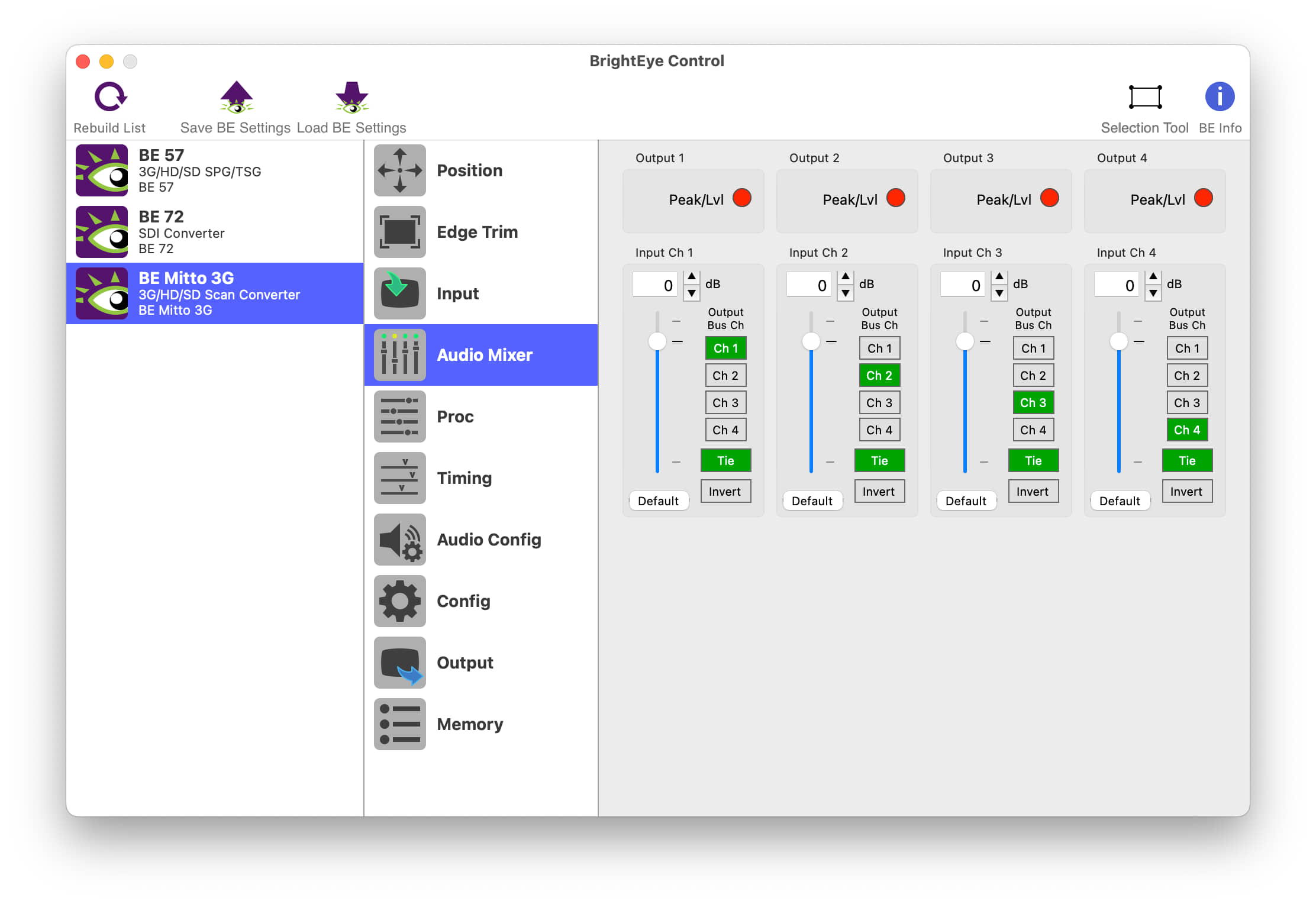
    BrightEye Control SoftwareBrightEye Control allows you to access all of the controls in your BrightEye devices. Adjust video levels, output timing and audio mixing and more. No DIP switches or button hold-downs are needed. Firmware updates, with feature enhancements and bug fixes, are provided for the lifetime of your BrightEye device. Install them with ease from your Mac or PC using BrightEye Control. The BrightEye Control software is included with each BrightEye at no charge. Version History 3.2.2 Fixes window resizing issue on Windows when using Hi-DPI displays. Only released for Windows (32-bit and 64-bit). 3.2.1 Hi-DPI Support on Windows. Control fixes and performance improvements. First Windows 64-bit build. Compatible with Windows 7, 8, 10, and 11 First Apple Silicon native release. Compatible with macOS 10.15+ 3.1.0 Built for Intel x86 64-bit. Compatible with Apple Silicon Macs via emulation. Compatible with macOS 10.15+ Only released for macOS. 3.0.2 Further improvements to connection reliability, especially with older BrightEye devices. Fixes issue with recalling saved settings on units with memory registers. Previously, recalling the saved settings could trigger memory register recalls. You can now set string controls to “”, which allows you to properly remove a feature license. Fixes several crashes related to connecting and disconnecting BrightEye devices. Other small fixes and enhancements. 3.0.1 Improved Connection Reliability Fixed problem where updating BrightEye firmware was sometimes slow. 3.0.0 Replaces BrightEye Mac and BrightEye PC. Improved user interface to make controlling BrightEye devices easier than ever. BrightEye devices now show up in the interface automatically, no need to manually refresh. Improved performance when controlling many BrightEye devices. Support for HiDPI and “Retina” displays. Fixed issues with firmware updates on newer Windows PC’s. Many other bug fixes and enhancements.
    BrightEye 11-HD HD/SD SDI to Analog ConverterBrightEye 11-HD provides HD or SD digital to analog video conversion with the full range of analog output formats available for HD and SD. When an HD input is present HD RGB or YPrPb are output. When an SD input is present Beta, SMPTE, RGB or composite with simultaneous Y/C is output. 12 bit processing and conversion at 8 x oversampling mean the best looking images possible. Output format and gain are controlled from the front panel. A status display indicates input presence. Video levels can be adjusted through the BrightEye Control app.
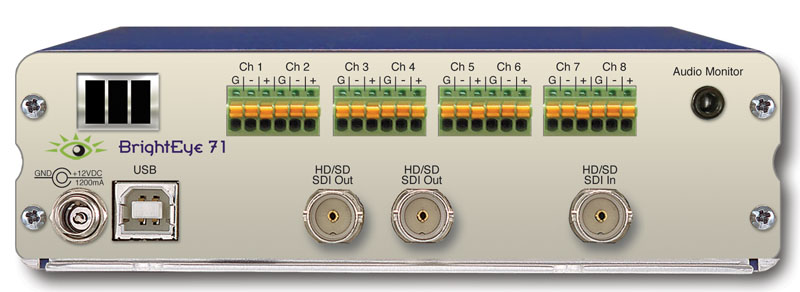
    BrightEye 71 & 71-F HD/SD 8 Channel Analog Audio Embedder/DisembedderThe BrightEye 71 is a dual rate eight channel analog audio embedder or disembedder for 1.5Gb/s high definition video signals or for 270Mb/s standard definition signals. The analog audio ports automatically configure as inputs or outputs depending if the module is configured as mux or demux. When configured as a multiplexer, the BrightEye 71 has one serial digital video input and eight analog audio inputs. The audio streams are embedded into the video stream. The output of the module is a digital stream that contains the original video and audio signals. When configured as a demultiplexer, audio signals present in the incoming video signal are extracted and delivered as analog audio. The BrightEye 71 includes an eight channel audio mixer with channel swap and shuffle capability that allows you to completely re-arrange and re-mix audio channels. It provides precise control over audio level, with up to 12 dB of gain to compensate for low level sources. All audio processing is performed at full 24 bit resolution by a digital signal processor (DSP). Delay is adjustable up to one second. Order the BrightEye 71-F if you need an optical output.
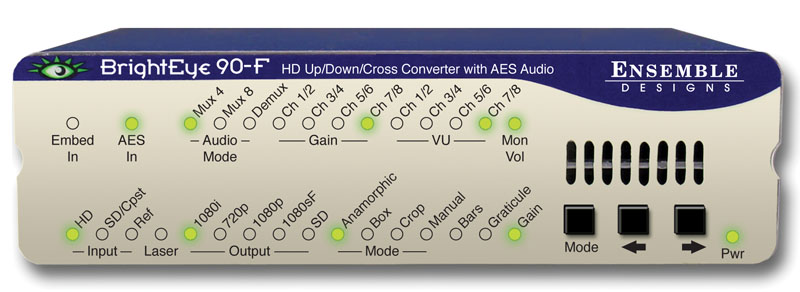
    BrightEye 90-F HD Up/Down Cross Converter and ARC with AES Audio and Optical OutputBrightEye 90-F is a versatile up/down/cross converter or aspect ratio converter for use with analog and digital video signals with the addition of an optical output. Optical connectivity allows for long cable runs between buildings or in mobile applications. Simply set the BrightEye 90-F to output your facility’s preferred HD or SD standard. The BrightEye 90-F will accommodate whatever input you connect analog composite, SD SDI or HD SDI. After setting the output standard, BrightEye 90-F automatically converts the selected input to the correct standard for your facility. BrightEye 90-F will upconvert, downconvert, cross convert, or act as an ARC, as needed. The built-in Frame Synchronizer allows you to feed asynchronous signals to the BrightEye 90-F. An external reference input allows genlock to a house reference. All vertical interval data and closed captioning is faithfully passed. Upconverting to High Definition Feed the analog composite or SD SDI output of a camera to a BrightEye 90-Fand upconvert to HD. You can take the HD signal from the BrightEye 90-F into a switcher or projection system. Upconverting existing SD equipment lets you leverage the equipment you already have and operate in the HD domain. While some cameras may have firewire out, using the video output and upconverting before distribution is preferable since longer cable runs can be achieved and quality is superior. Additionally, the BrightEye 90-F’s reference input allows you to time the upconverted video output for use with a production switcher. Downconverting to Standard Definition BrightEye 90-F will downconvert any type of HD signal and provides both an SD SDI and an analog composite output suitable for broadcast or monitoring. Cross Conversion It’s easy to convert between various HD standards, whether 720p or 1080i. Simply select the output standard you need and connect the input, that’s all there is to it. Aspect Ratio Conversion For converting between SD 4:3 and HD 16:9, BrightEye 90-F has you covered. Just select the output standard you need and connect the input. Audio Processing Made Simple BrightEye 90-F handles both embedded audio and discreet AES digital audio streams. Sixteen channels of embedded audio are supported in BrightEye 90-F. If the incoming video has embedded audio, the audio will be safely bypassed around the video processing and lipsync will be preserved. Audio mixing is available for two of the four embedded groups of audio. The AES I/O ports can be configured for eight channels of incoming audio or for eight channels of audio output. The audio mixer can be used for AES channels as well. Mixer controls are accessed through BrightEye Control Software. Monitoring for Video and Audio Audio monitoring is easy with BrightEye 90-F’s convenient 3.5mm mini jack. Select the audio channels you want to monitor from the front panel and plug in a headset. The HDMI connector on the rear of the unit provides a future proof monitoring interface. Plug it into most LCD monitors for confidence monitoring of your feed. Front Panel and Software Control Input selection, gain control, and test pattern controls are provided through the front panel interface. Audio presence LEDs indicate which channels are detected. Crop, letterbox and pillarbox can all be adjusted from the front panel. For more control, BrightEye Control Software provides controls for proc, audio mixing, and other advanced controls.

    Looking for something else?

    Signal Processing
    I.M.D.P.
    Monitors
    Timing
    Calibration
    Viewfinders

    Contact Sales

    International

    • Plura Europe GmbH Germany
    • Plura MEA Dubai – UAE
    • Plura ASIA Seoul – S. Korea

    The Americas

    • Arizona Plura Broadcast, Inc. HQ

    Stay in touch for news on the latest in product development

    Copyright © 2026 Plura Inc. All Rights Reserved.